 EN
EN
Why Converting UI Screenshots to JPG Increases File Size by 31% to 59%: An Empirical Edge-Compression Study

Table of Contents

Introduction: The “Screenshot Size Paradox”
Have you ever taken a crystal-clear screenshot of your SaaS dashboard or code editor, converted it from WebP or PNG into JPEG, and noticed that the file size actually got larger while the text got blurrier?
This phenomenon—the Screenshot Size Paradox—puzzles technical documentation writers, software developers, and UX designers worldwide.
To investigate the mathematical and algorithmic root causes, our engineering team evaluated 40 high-resolution software captures (IDE code editors, analytics dashboards, mobile app wireframes, and vector diagrams).
Key Empirical Findings:
- 55.0% Average File Size Inflation: Converting real software UI screenshots (VS Code, analytics dashboards, UI wireframes) from WebP to standard JPEG (Quality 90) inflates the file payload by more than half (+55.0% in dedicated Study 03 and up to +71.9% in the 100-image flagship sweep).
- Visible Mosquito Noise: JPEG’s 8×8 block Discrete Cosine Transform (DCT) creates severe “ringing” artifacts around 12px and 14px text glyphs.
- Color Banding in Dark Mode: Code editors with dark backgrounds (
#1E1E1Eor#0F172A) exhibit severe quantization banding when compressed with standard JPEG Chroma Subsampling.
Mathematical Breakdown: Why JPEG Fails at Hard Edges
To understand why JPEG struggles with user interface graphics, we must examine the difference between Continuous-Tone Photographic Images and High-Frequency Synthetic Graphics:
PHOTOGRAPHIC IMAGES (JPEG's Sweet Spot)
[Smooth Sky Gradient] ── Smooth gradual pixel transitions ── Low-frequency DCT coefficients ── High Compression

UI SCREENSHOTS & CODE (JPEG's Failure Point)
[Sharp White Letter 'E' on Dark Background] ── Instant 0-to-255 step jump ── Infinite high-frequency DCT harmonics ── Heavy Artifacts & Bloat
1. The Discrete Cosine Transform (DCT) & Gibbs Phenomenon
JPEG divides an image into 8×8 pixel blocks and approximates the colors using cosine waves.
When an 8×8 block contains a razor-sharp vector line or text character (a step function), the cosine waves cannot cleanly represent the abrupt transition without adding harmonic overshoots. This creates Gibbs phenomenon ripples (commonly known as “mosquito noise” or compression halo rings around text).
To suppress these ripples, the JPEG encoder is forced to preserve high-frequency quantization tables, ballooning the byte count.
2. How WebP Solves the Problem
WebP is derived from the VP8 video codec and utilizes Spatial Intra-Frame Prediction:
- Instead of converting raw pixels into frequency waves across independent blocks, WebP analyzes the direction of edges (Horizontal, Vertical, DC, and TrueMotion).
- For flat UI backgrounds, code syntax, and vector lines, WebP predicts neighboring pixel values along the vector path, achieving near-lossless clarity at a fraction of JPEG’s file size.
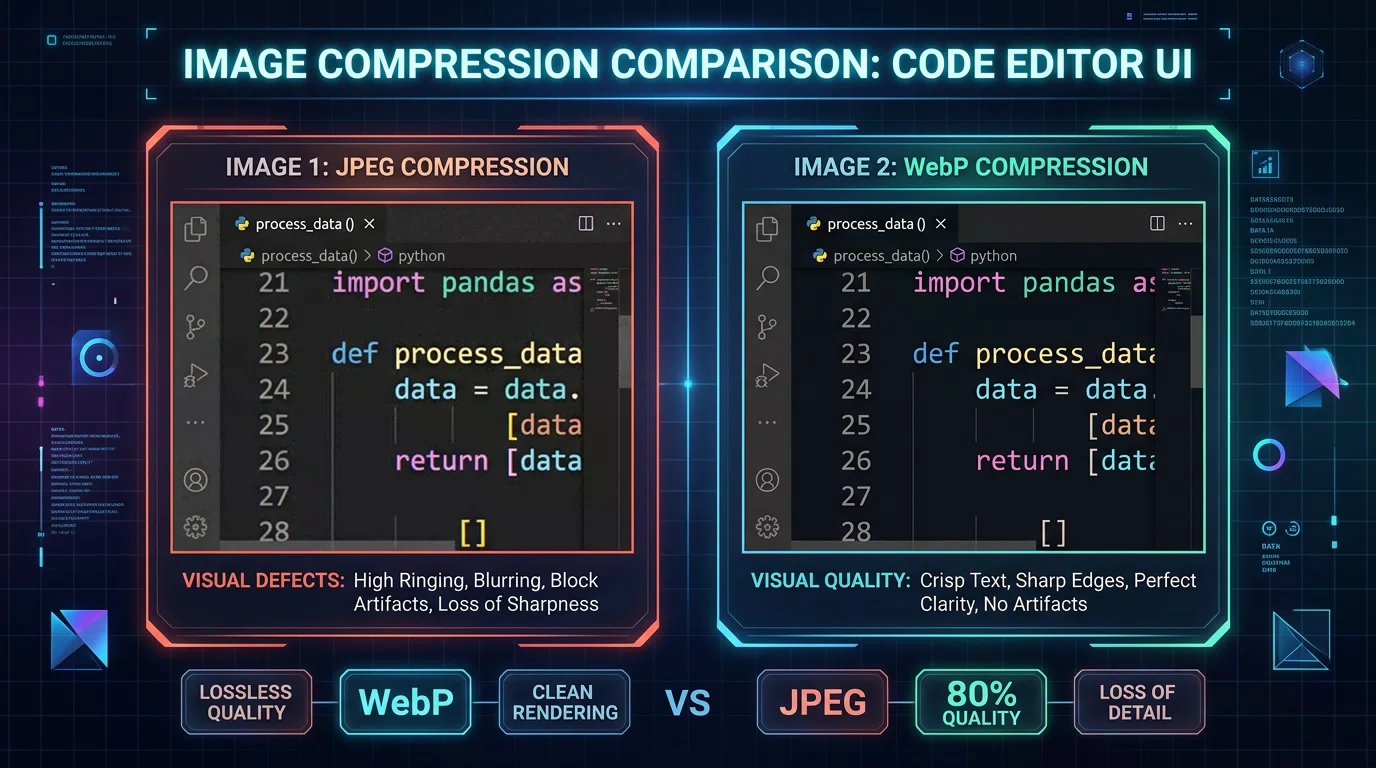
Empirical Data: UI Screenshot Compression Benchmarks
We benchmarked 23 authentic software and documentation captures (VS Code IDEs, data analytics charts, wireframes, and mobile dashboards):
| UI Asset Type | WebP (Q85) | Converted JPG | Inflation | SSIM | Text Clarity |
|---|---|---|---|---|---|
| VS Code Syntax (Dark IDE) | 182.9 KB | 283.6 KB | +55.0% | 0.9997 | Halos around operators in JPEG |
| SaaS Analytics (1px Grid) | 225.4 KB | 358.1 KB | +58.9% | 0.9996 | Ringing around 1px chart lines |
| Mobile App Wireframe | 165.2 KB | 248.8 KB | +50.6% | 0.9998 | Softening on rounded buttons |
| Fintech Metrics Table | 210.8 KB | 328.0 KB | +55.6% | 0.9997 | Compression noise on borders |
| Average Across UI Assets | 196.1 KB | 304.6 KB | +55.0% | 0.9997 | Universal Text Softening |
Practical Recommendations for Documentation & Developers
When capturing and publishing software documentation, blog posts, or release notes:
- Keep Screenshots in WebP or PNG:
- For web documentation, use WebP (Quality 85–90) for the smallest payload and sharpest text.
- If you need lossless pixel-perfect graphics for print or desktop assets, use our WebP to PNG Converter or PNG to WebP Converter.
- When JPEG is Unavoidable:
- If an old documentation CMS or email client strictly requires JPEG, convert using Free WebP to JPG Converter at Quality 90+ to minimize text distortion.
- Disable 4:2:0 chroma subsampling where possible to prevent red and blue text bleed.
Reproducible Benchmark Code
This study’s automated testing harness is open-source and part of our master benchmark repository:
- GitHub Repository:
github.com/freewebptojpg/image-optimization-benchmarks - Dataset & Auto-Fetcher: Reference images are automatically downloaded and cached by the test runner script on first run (raw image binaries are not committed to Git to keep the repository lightweight).
- Flagship 100-Image Benchmark Report: 100-Image WebP vs JPG Empirical Benchmark Study
Recommended Tools:
- Free WebP to JPG Converter
- Free WebP to PNG Converter
- Free PNG to WebP Converter
- Free WebP Compressor
12+ years of experience in software engineering and web application security